NotebookLM in practice: an AI tool that makes sense when you have sources
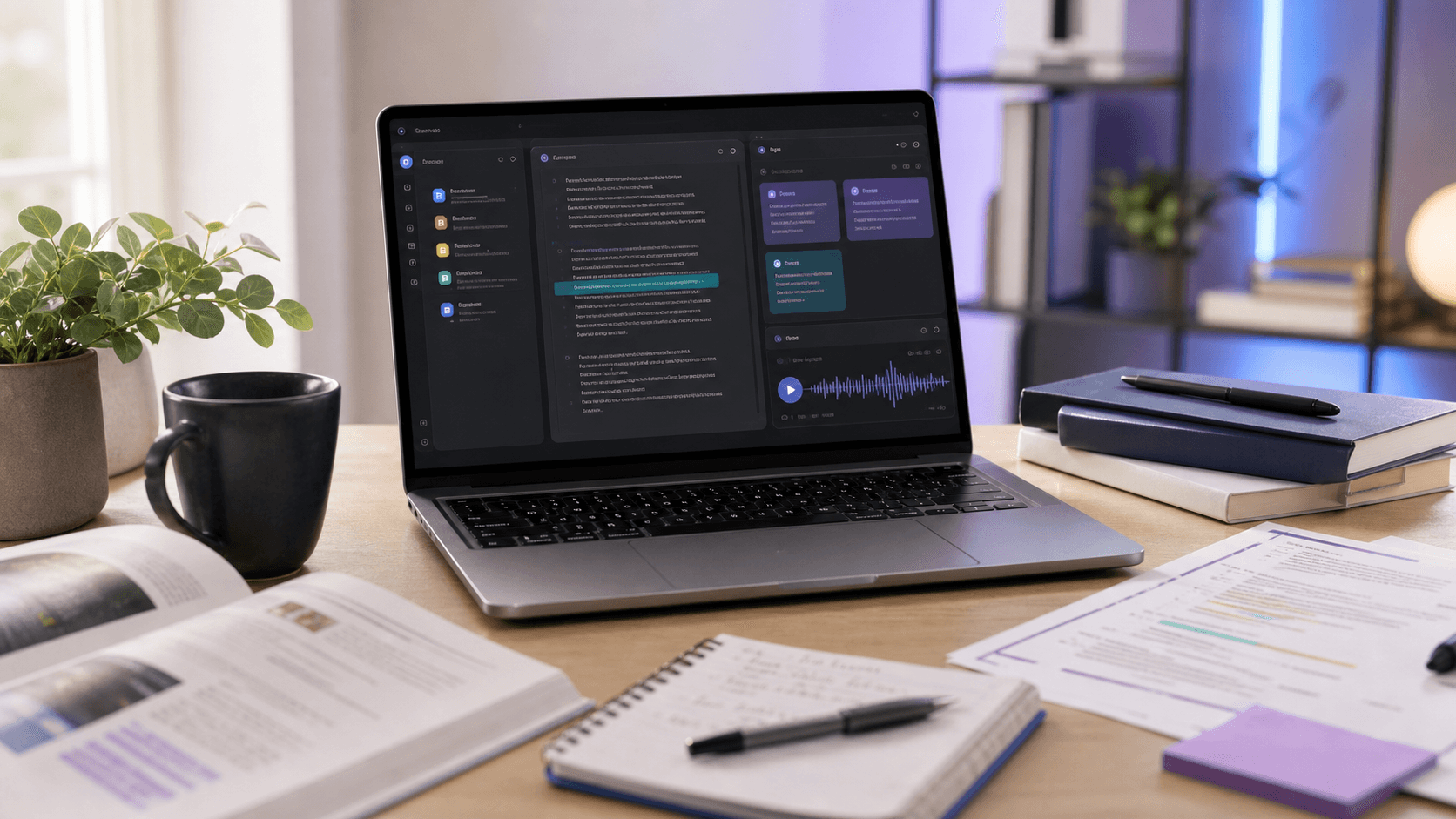
NotebookLM is one of those AI tools that looks modest, but becomes very useful once you use it correctly. Not because it is a smarter ChatGPT. It is interesting mainly because it works over specific sources you give it.
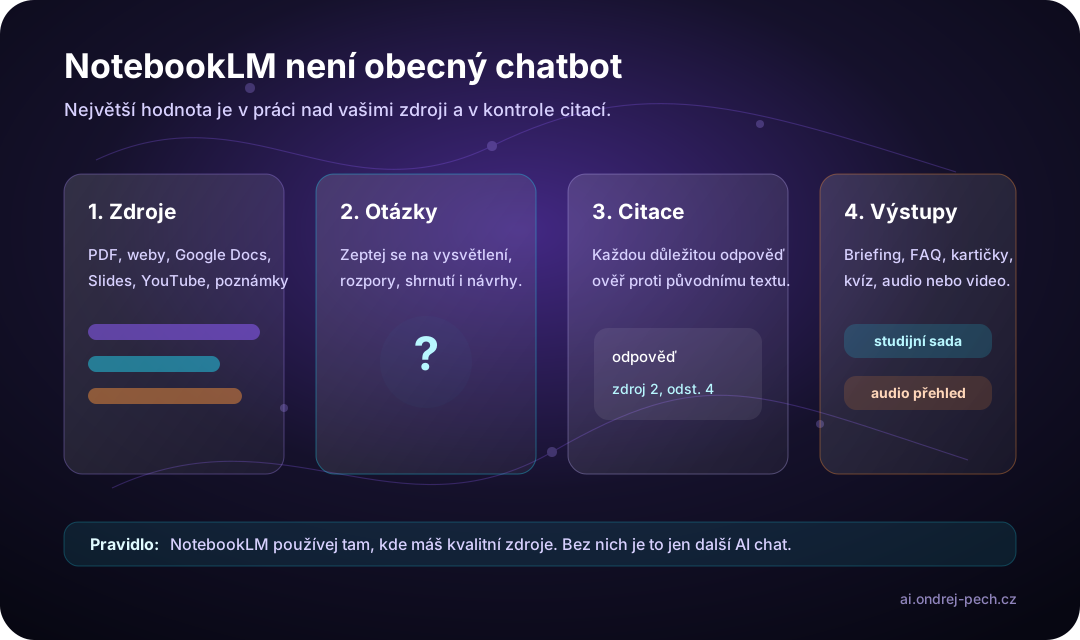
That is the key difference. In a normal chat, the model answers from general knowledge and the conversation context. In NotebookLM, you first define the material: PDFs, websites, Google Docs, presentations, notes or a YouTube video. Then you ask questions over that material.
The result is not just a faster summary. Used well, NotebookLM becomes a research desk, study assistant and lightweight knowledge base in one.
What NotebookLM is for
NotebookLM is useful whenever you have several materials and need to understand them quickly. Typical examples: lecture notes, course slides, research papers, technical documentation, internal policies, meeting notes, product materials, legal text, vendor proposals or training content.
The value is that your questions are grounded in your own sources. You can ask:
- “Summarize the main arguments from these three documents.”
- “Where do the sources disagree?”
- “Explain this chapter more simply and point to the exact passages.”
- “Prepare exam questions only from the uploaded materials.”
- “Create a training outline for a new employee.”
This is exactly the kind of work where a normal chatbot tempts people into accepting a polished answer. NotebookLM nudges toward a better habit: answer, but with a source.
How to use it without creating more AI chaos
I would start with a small, clearly bounded notebook. Do not put an entire school year, every company document or a whole project into one place. One notebook should have one topic: one course, one client project, one product, one internal policy, one research area.
First, add sources. Prefer authoritative materials: course scripts, slides from the lecturer, official documentation, internal rules, contract text or selected research papers. Better input means better answers.
Then ask for a map. Not the final output yet, but orientation: main topics, definitions, unclear areas, a glossary and the structure of the documents. This quickly shows whether NotebookLM understands the material correctly.
Only then ask specific questions. Instead of “summarize this”, ask “explain the difference between these two terms based on the sources” or “find three arguments for and against, and show which source each one comes from”.
Finally, check citations. NotebookLM can point back to source passages, which is a major advantage, but it is not a reason for blind trust. For important claims, open the original passage and verify it.
Practical company use
In companies, I would use NotebookLM mainly where people repeatedly read long documents and turn them into short conclusions.
Examples:
- comparing vendor proposals,
- getting oriented in technical documentation,
- preparing internal training,
- summarizing rules and policies,
- finding differences between document versions,
- preparing FAQ material for support or sales,
- researching articles, analyses and reports.
NotebookLM is not a replacement for a lawyer, analyst or subject expert. It is a good first pass over material. It can speed up orientation, prepare questions and extract supporting information. Decisions still belong to people, especially in legal, financial, HR or security topics.
Why it is strong for students
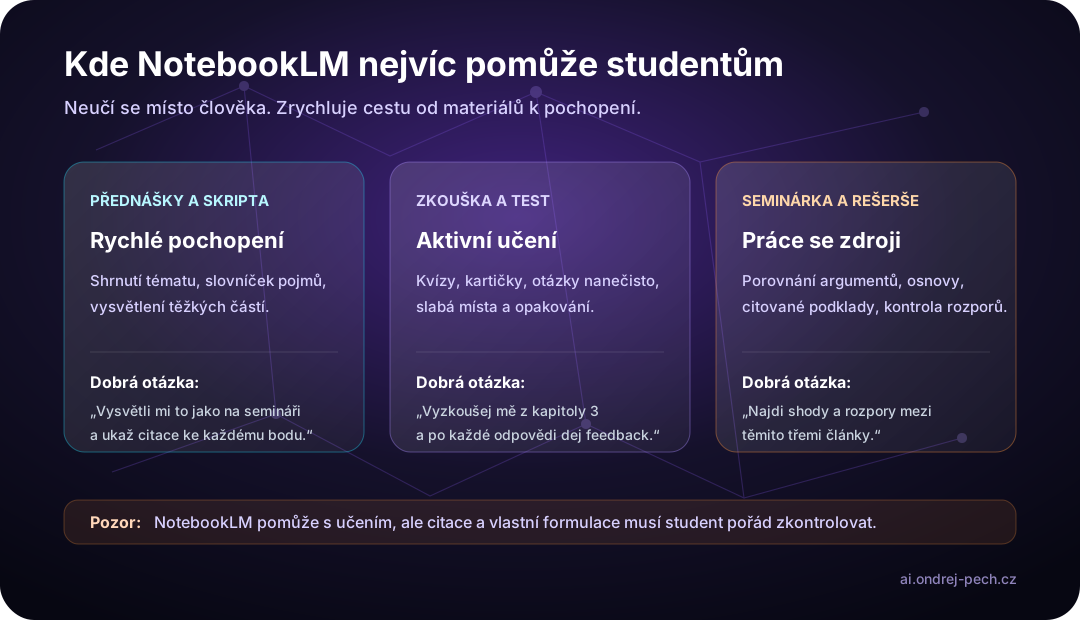
For students, NotebookLM may be even more useful than for companies. Studying is mostly work with sources: scripts, slides, notes, articles, books, assignments, past tests and lecture recordings.
NotebookLM helps in three modes.
First: understanding. A student uploads scripts or slides and asks for difficult sections to be explained in simpler language. The best questions are active: “explain it with an example”, “show the difference”, “why does this definition matter”, “where is this used in practice”.
Second: exam preparation. NotebookLM can generate study aids such as questions, quizzes, flashcards and overviews. Being tested is better than passively reading a summary. A good prompt is: “Quiz me on chapter 4. Ask one question at a time, wait for my answer and then give feedback based on the sources.”
Third: papers and research. A student can upload several papers and ask for argument comparison, contradictions, an outline or questions for further research. But this needs care: NotebookLM can help prepare and understand, but the final text, citations and interpretation must remain the student’s own work.
Practical workflow: paper scripts, OCR and Claude Code
One practical scenario is worth adding: convert paper materials into a clean digital form before giving them to NotebookLM. For printed scripts, textbooks or notes, I would use this flow:
- scan pages with a phone or scanner,
- run OCR and turn the text into a reasonable structure,
- use Claude Code or another agent to clean files into Markdown by chapter,
- remove duplicates, broken paragraphs and OCR mistakes,
- upload the cleaned chapters to NotebookLM as sources,
- generate quizzes, flashcards and step-by-step practice.
Claude Code is not interesting here because it writes code. It is useful as an agent over a folder of text files. It can inspect multiple documents, normalize headings, create an index, split a long export into chapters and prepare the material so NotebookLM works with it more reliably.
The important part is the review step. OCR often breaks characters, tables, formulas and footnotes, especially in older printed materials. If you upload bad OCR directly into NotebookLM, the tool will answer over a flawed source. The workflow looks modern, but the foundation is weak.
A simple setup works well: a sources/ folder, a chapters/ folder, one file per chapter and a short mistakes-and-weak-spots.md file where the student records what they struggled with during practice. NotebookLM can then handle cited answers and quizzes, while the file-based agent keeps the material organized and repeatable.
Audio and video overviews: great for a first pass, not final truth
One of NotebookLM’s most visible features is Audio Overviews. It can turn materials into a listening overview, useful during a walk, commute or first contact with a topic. Google has also been expanding video overview features, including Cinematic Video Overviews for selected plans and languages.
This is excellent for orientation. I would generate an audio or video overview from long material, listen to it, and then return to exact source passages. I would not use it as the only source for an exam, article or business decision.
For students, it is like a podcast version of course materials. Great for context and repetition. Weak as a replacement for reading, solving exercises or building your own argument.
Where NotebookLM has limits
The biggest limit is source quality. If you upload weak, incomplete or outdated materials, you get confident answers over a weak foundation.
The second limit is freshness. NotebookLM works with what you add or connect. For fast-changing topics, sources should be checked and refreshed deliberately.
The third limit is academic and copyright context. If a student uses NotebookLM for a paper, it should be a helper for understanding and research, not the author of the assignment. School rules, source attribution and original writing still matter.
The fourth limit is sensitive data. With personal, company or client documents, you need to understand which account you use, what terms apply and whether you are allowed to upload the material at all.
How I would set it up
For each larger topic, I would create a separate notebook. One course, one research project, one client topic, one internal area. I would name sources clearly so the origin of each answer is obvious.
Then I would save a few reusable prompts:
- “Explain the main ideas and cite a source for each one.”
- “Find the terms I should know and order them from basic to advanced.”
- “Create practice questions and ask me one by one.”
- “Find contradictions between sources and tell me what I should verify elsewhere.”
- “Prepare an article or presentation outline, but do not copy the source text.”
NotebookLM starts making sense when it becomes a workflow, not a random summary button.
Practical takeaway
I would not use NotebookLM as a replacement for ChatGPT, Claude or Gemini. It is a different kind of tool. It works best when you have concrete materials and want to think over them faster, more structurally and with links back to the sources.
For companies, it is a strong helper for research, internal documentation and first passes over long materials. For students, it is excellent for understanding, revision, exam preparation and source-based work.
But the rule remains: NotebookLM can speed up the path to understanding. It should not replace your judgment.
Sources
- Google: NotebookLM
- Google Help: Get started with NotebookLM
- Google Help: Add sources to a notebook
- Google Help: Listen to Audio Overviews
- Google Help: NotebookLM privacy and data handling
- Google Blog: NotebookLM adds Cinematic Video Overviews
- Google Help: Generate Flashcards or Quizzes in NotebookLM
- Anthropic Docs: Claude Code common workflows
- Filip Oborník / AI s rozumem: Claude Code + NotebookLM: Best way to learn from paper scripts